Export your WooCommerce
orders with
zero drama.
Visual query builder to export orders, products and customers to Excel or CSV. No code, no hassle, no bloated plugins.
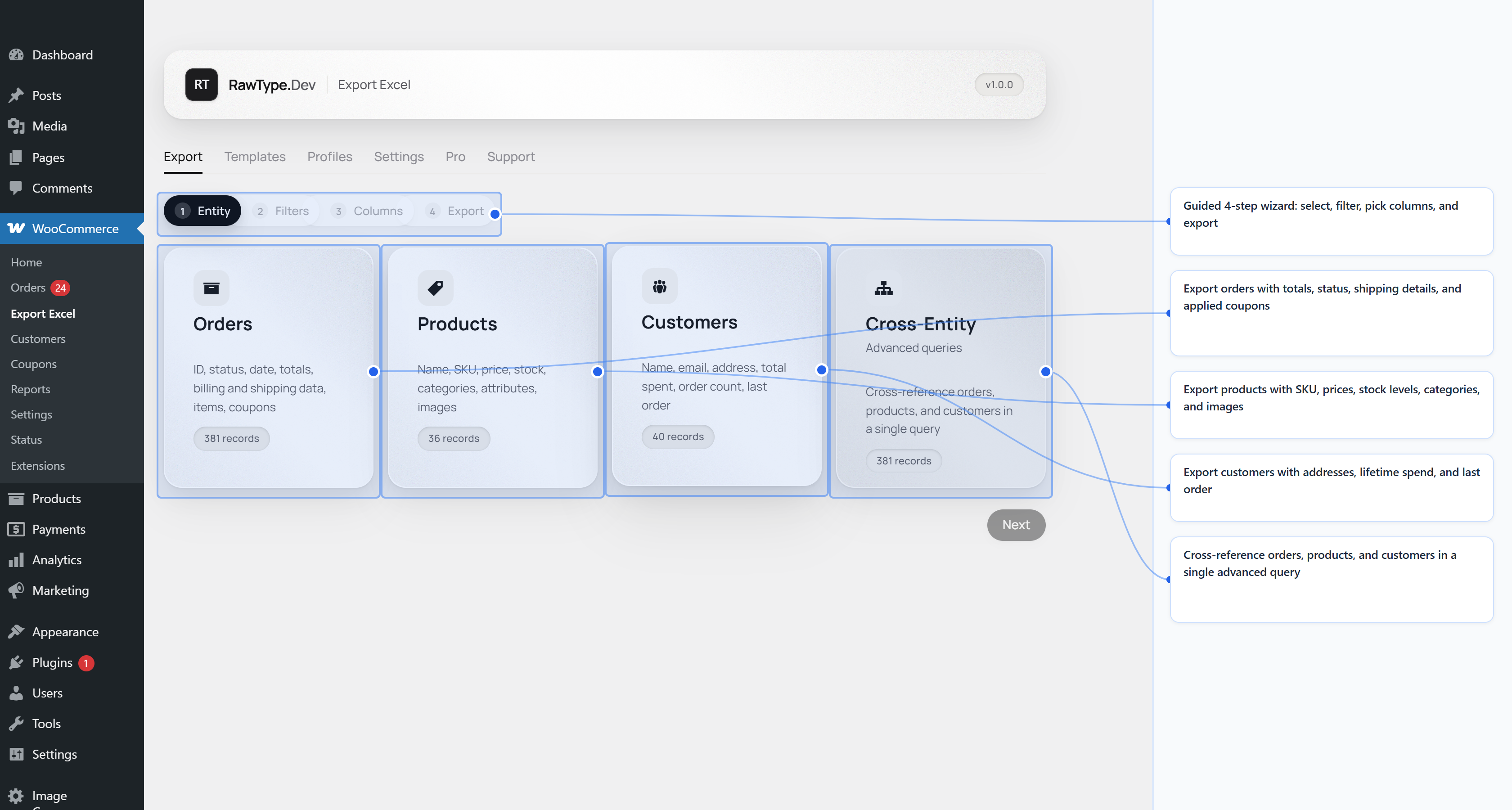
Four data sources.
One interface.
Pick what to export, select your fields, filter and download. That simple.
Orders
Status, totals, line items, shipping, billing and custom fields.
Products
Name, SKU, price, stock, categories, attributes and images.
Customers
Address, email, purchase history, total spent and role.
Cross-Entity
Cross-reference orders, products and customers in a single advanced query.
Built to be
fast and simple.
Visual query builder
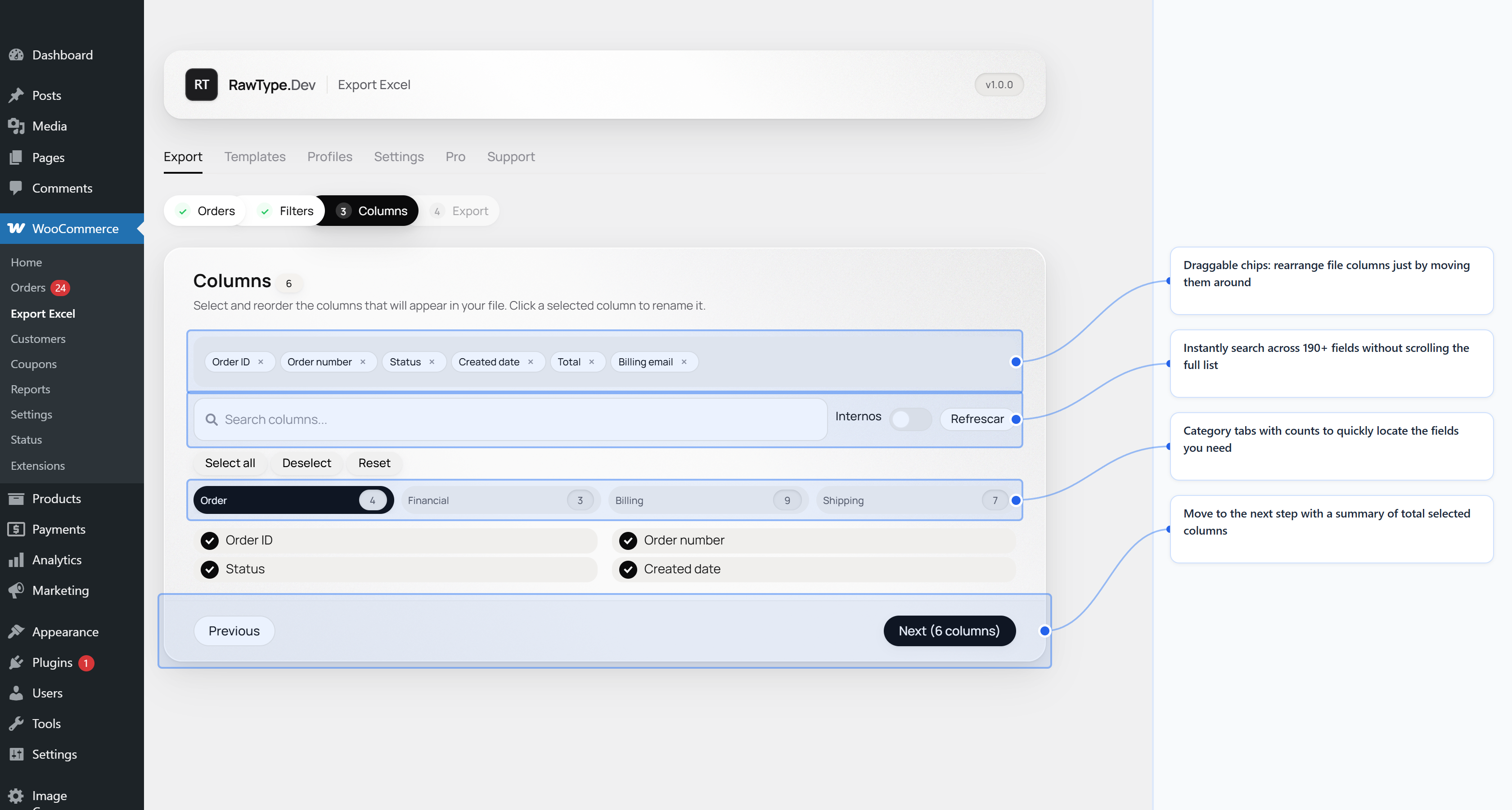
Drag, select and configure your export columns without writing a single line of code.
Native Excel & CSV
Generate .xlsx and .csv files ready to open in Excel, Google Sheets or LibreOffice.
Smart filters
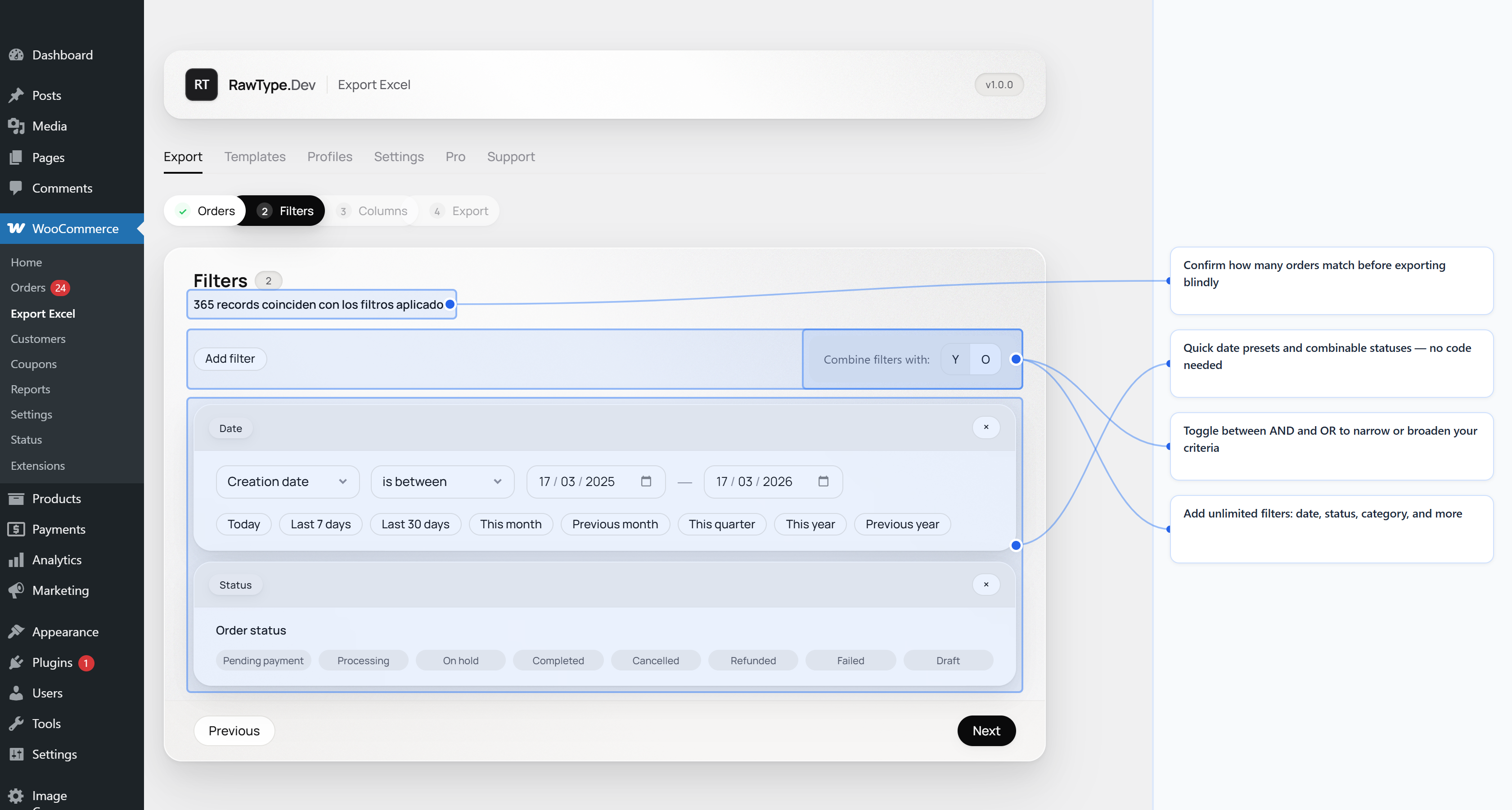
Filter by date range, order status, product category, customer role and more.
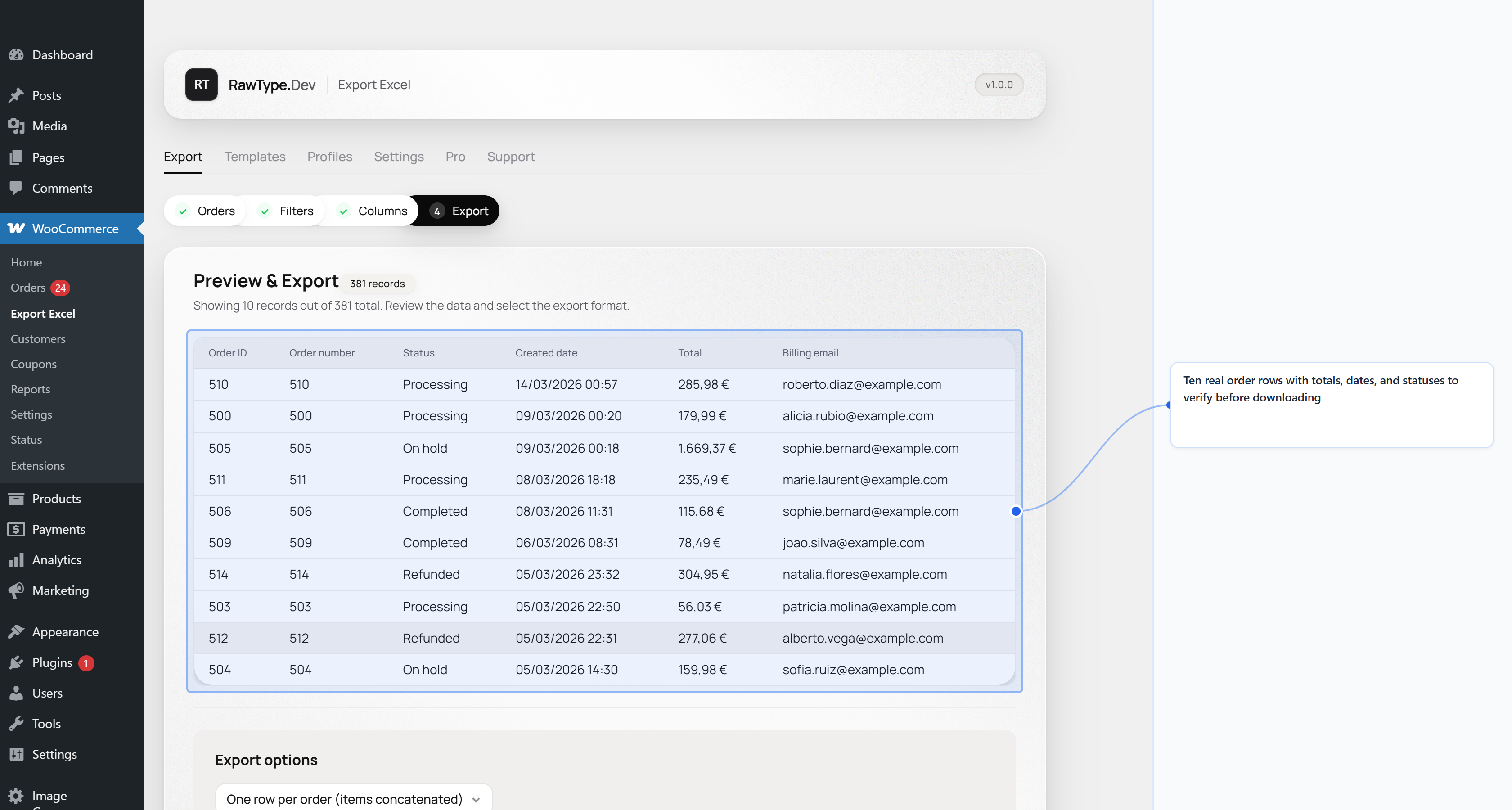
Real-time preview
Preview up to 10 rows of real data before exporting. Verify everything is right without downloading.
Pre-built templates
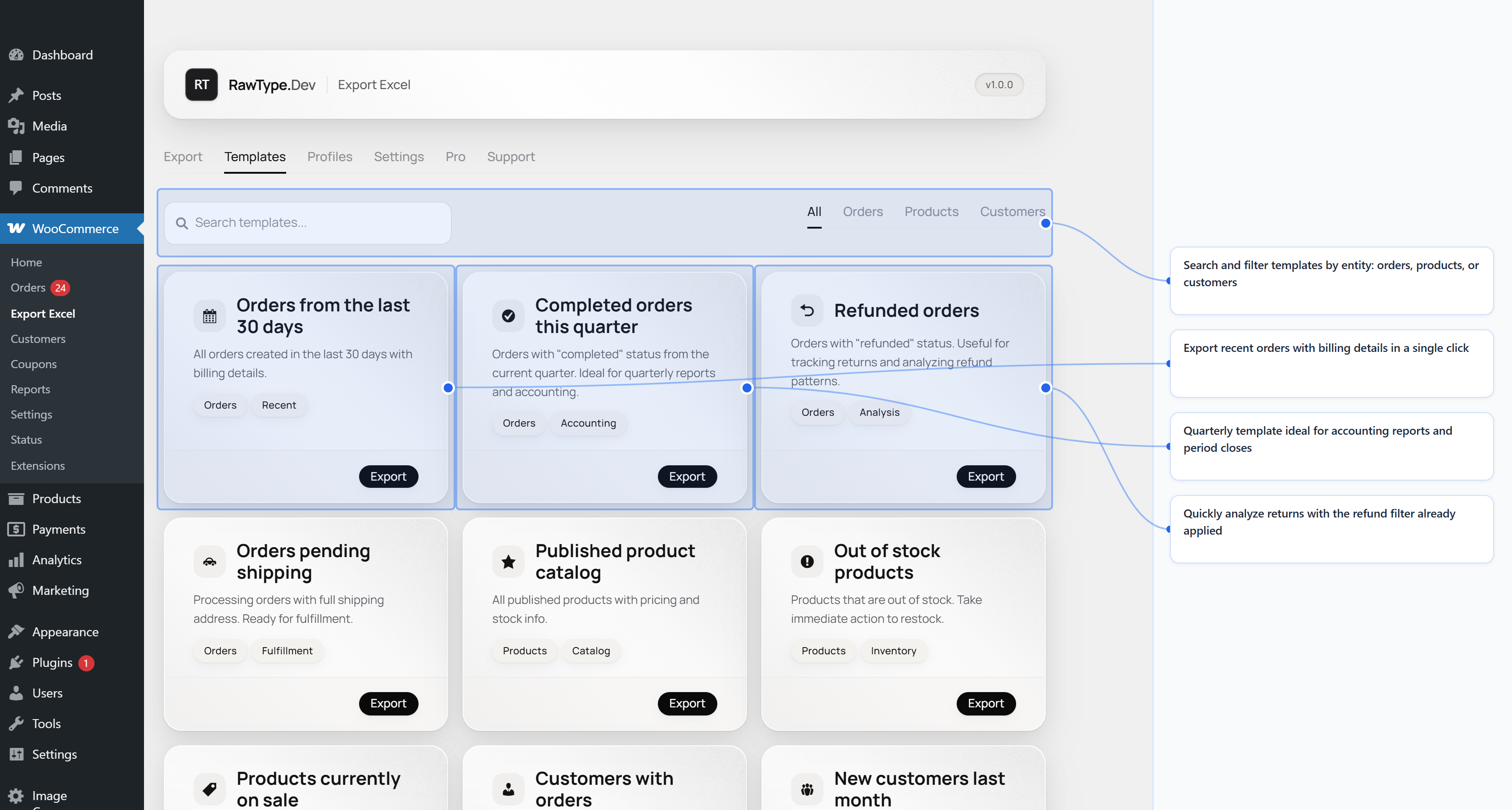
Export common reports with one click using ready-made templates for accounting, inventory and more.
HPOS compatible
Works with WooCommerce High-Performance Order Storage and with legacy post-based storage.
See how it works.
Simple, fair,
no surprises.
The free version includes everything essential. Pro adds automation and unlimited exports.
Free
$0Everything you need for one-time exports
- Export orders, products and customers
- CSV and Excel (.xlsx) formats
- Visual query builder
- 100+ available columns
- Auto-discovered custom fields
- Real-time preview
- Cross-entity queries
- Saved profiles and templates
- HPOS compatible
Pro
$49For stores that need to automate exports
- Everything in Free included
- Unlimited exports with no row limit
- Calculated fields with formulas
- Scheduled exports (cron)
- Automatic email delivery
- Public REST API for integrations
- Multi-sheet by entity
- Priority support
Questions answered.
No fluff.
How do I export my WooCommerce orders to Excel?
Go to WooCommerce → Export Excel, select "Orders", choose the fields you want, apply filters if needed, and click Export. Your .xlsx downloads instantly.
Can I export to CSV too?
Yes. When building your query, choose CSV as the output format instead of Excel. Same visual builder, same filters, same field selection.
What data can I export?
Three data types: orders (with line items, billing, shipping, totals, custom fields), products (with variations, stock, prices, categories) and customers (with purchase history, addresses, roles).
Does it work with HPOS (High-Performance Order Storage)?
Yes. The plugin is fully compatible with HPOS. It works with both the legacy posts-based storage and the new custom order tables.
Does it work with large stores?
Yes. The engine handles large datasets efficiently. For very large stores, processing runs in the background so your browser stays responsive.
Does the free version have limits?
The free version includes full functionality for orders, products and customers with the visual builder. Pro adds scheduled reports, calculated columns, email delivery and REST API.
Ready to export without the hassle?
Install the plugin for free. No credit card, no signup, no artificial limits. Export your WooCommerce data in seconds.
Compatible with WordPress 5.8+ and WooCommerce 8.2+. Works with PHP 7.4 or higher.